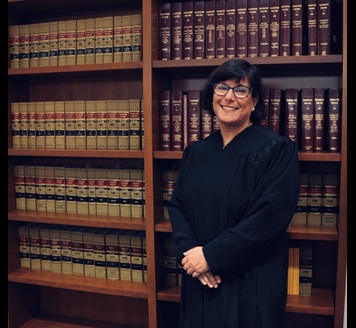
Judge Aimée Sutton
Individual Rules, Standing Orders & Policies
Limits & Logistics
Courtesy Copies
All filings
- Upon Filing
Deposition Designations
Court-wide- Email • As Directed In Pretrial Order
Filings >= 500 pages
Court-wide- Hand Delivery
Communication
Clerk
Chambers
Phone
Court-wideChambers
Document Format Requirements1 rule
Attachments or exhibits exceeding 25 pages must be numbered consecutively (without restarting) at the bottom center or right-hand corner, and motions, oppositions, replies, and briefs must cite to those page numbers or risk the hearing being delayed.
Attachments or exhibits in excess of 25 pages, including attachments to motions, oppositions, replies, briefs, declarations, and affidavits, shall be numbered consecutively on the bottom center or right-hand corner of each document. This aids the court and the parties in navigating through voluminous documents. The number shall not restart for each attachment but shall run consecutively through all the attachments to the document. You must cite to these page numbers in all motions, oppositions, replies, and briefs. A party may include other citation information, such as exhibit numbers, corresponding exhibit pages or paragraph numbers, in addition to the consecutive page cite. Failure to follow this rule can result in the Court delaying your hearing or matter until all parties have complied.
Document Filing Requirements2 rules
Parties are encouraged to jointly provide a working papers submission list before the noting date listing all related pleadings with captions, docket numbers, filing dates, and title-and-sub-number citations for previously filed materials.
It is often helpful if parties jointly provide a working papers submission list to the judge before the noting date. This list should contain all the pleadings related to the motion, their caption, the docket number and date filed. If your pleadings refer to materials which were previously filed within the court record, please reference the pleading by both the document title and sub number (eg: Declaration of Bob Jones, Sub #5) within the court docket.
Document Type
Working Papers Submission List
To request oral argument on a non-dispositive motion, a party must note "Oral Argument Requested" in the upper right-hand corner of the working papers, and if the Court agrees, the bailiff will contact the parties to set a time.
Most motions do not require oral argument under the Civil or Local Rules. If a party would like to request oral argument, the motion should be noted pursuant to the applicable court rules, simply noting in the upper right-hand corner of the working papers “Oral Argument Requested.” If, after reviewing all briefing, the Court determines oral argument is appropriate, the bailiff will contact the parties and set a mutually acceptable time for oral argument.
Document Type
Working Papers
Filing & Service rules
Electronic Filing Rules
Under LGR 30, attorneys must e-file most documents through the Clerk's eFiling application unless a waiver is obtained; unrepresented parties may optionally use the services.
Counsel should review LGR 30, which requires e-filing of most documents and requires attorneys to “promptly register to accept e-service via the Clerk’s eFiling application” unless a waiver is obtained. Unrepresented parties have the option of utilizing these services. Judge Sutton e-files orders regularly.
Page 1 | Electronic Filing and Service by Attorneys
Filing Timing and Cure Windows
All trial exhibits must be uploaded into Case Center no later than five court days before the scheduled trial date.
No later than five court days before the scheduled trial date the parties shall upload all exhibits into Case Center.
Page 1 | Civil Trial exhibits
After the court reserves a hearing date, the moving party has 2 court days to file the Note for Motion to confirm it.
Once the court has reserved a date, the moving party will have 2 court days to file their Note for Motion only to confirm.
Page 1 | Dispositive Motions and Hearing requests
Service and Proof of Service Rules
Attorneys must promptly register to accept e-service via the Clerk's eFiling application unless a waiver is obtained.
Counsel should review LGR 30, which requires e-filing of most documents and requires attorneys to “promptly register to accept e-service via the Clerk’s eFiling application” unless a waiver is obtained.
Page 1 | Electronic Filing and Service by Attorneys
Courtesy Copy Requirements
Judge Sutton's court is paperless; working copies must be submitted as e-working copies through the Clerk's Office.
Judge Sutton’s court is paperless. Any working copies should be submitted via e-working copies through the Clerk’s Office. See the Clerk’s e-Filing Application pursuant to LCR 7(b)(4)(F)(i).
Page 1 | E-Working Copies
It is the parties' obligation to ensure the judge has working copies, and the judge will not consider any pleadings for which working copies were not provided and filed.
Please note: It is your obligation to make sure Judge Sutton has working copies. It is often helpful if parties jointly provide a working papers submission list to the judge before the noting date. This list should contain all the pleadings related to the motion, their caption, the docket number and date filed. If your pleadings refer to materials which were previously filed within the court record, please reference the pleading by both the document title and sub number (eg: Declaration of Bob Jones, Sub #5) within the court docket. Note that Judge Sutton will not consider any pleadings where working copies are not provided and filed. See LCR 7.
Page 1 | E-Working Copies
Pre-Motion Conference Requirements
Dispositive motion hearing requests must be emailed to the court with the case number/name, contact information for all counsel and parties, and the nature of the hearing; 45 minutes is typically allotted (10 minutes per side) and additional time requests go to the bailiff.
Any request for a dispositive motion hearing must be emailed to the court and include: Case number and name Names, phone numbers and email addresses of all counsel and parties Nature of hearing The Court typically allots 45 minutes for dispositive motions (each side is allowed 10 minutes for argument). Additional time may be provided on hearings involving multiple parties or complex motions. Please advise the bailiff if additional time is being requested.
Page 1 | Dispositive Motions and Hearing requests
Dispositive motions are heard on Fridays, and parties must check with opposing counsel/party to confirm a mutually agreeable hearing date before scheduling.
Dispositive motions are heard on Fridays. Check with the opposing counsel/party before scheduling any hearing in order to make sure that the date is mutually agreeable. Doing so reduces the need to reschedule hearings due to conflicts.
Page 1 | Dispositive Motions and Hearing requests
Chambers Communication Rules
Parties must immediately call or email the bailiff if a case settles or if they wish to strike a filed motion from the calendar, since the court is not otherwise notified of such resolutions.
Please call or email the bailiff immediately if a case settles or if you wish to strike a motion you have filed from the court’s calendar. Trial courts are not notified when a case otherwise resolves through the ex parte department, or when a Notice of Settlement is filed within the Court record.
Page 1 | Settled Cases and to Strike a Motion
Parties requesting a court reporter for a hearing/trial must notify the bailiff as soon as possible.
If the parties are requesting a court reporter for a hearing/trial, please notify the bailiff as soon as possible.
Page 1 | Digitally Recorded Courtroom
Weddings are available at any location by appointment and are scheduled by emailing Judge Sutton's bailiff at sutton.court@kingcounty.gov.
Available at any location by appointment. To schedule, please contact Judge Sutton’s Bailiff by email at sutton.court@kingcounty.gov.
Page 1 | Weddings
Case Center access is requested by emailing the Clerk's Office (Dja-e-exhibits@kingcounty.gov, or Dja_e-exhibitsjuvenile@kingcounty.gov for Juvenile Court non-UFC) with the case number/caption and participant role; access is granted within 24 to 48 hours.
To submit a request via email for access to Case Center to the Clerk's Office at the following email address(s): For Juvenile Court (Non-UFC): Dja_e-exhibitsjuvenile@kingcounty.gov For All Other Matters: Dja-e-exhibits@kingcounty.gov Emails need to include: Case number and caption Participant role in the case - plaintiff, petitioner, respondent, etc. Upon receipt of the email, the Clerk's Office will grant you access to your folder within 24 to 48 hours of receiving the request, at which point the Case Center application will send you a link.
Page 1 | Civil Trial exhibits