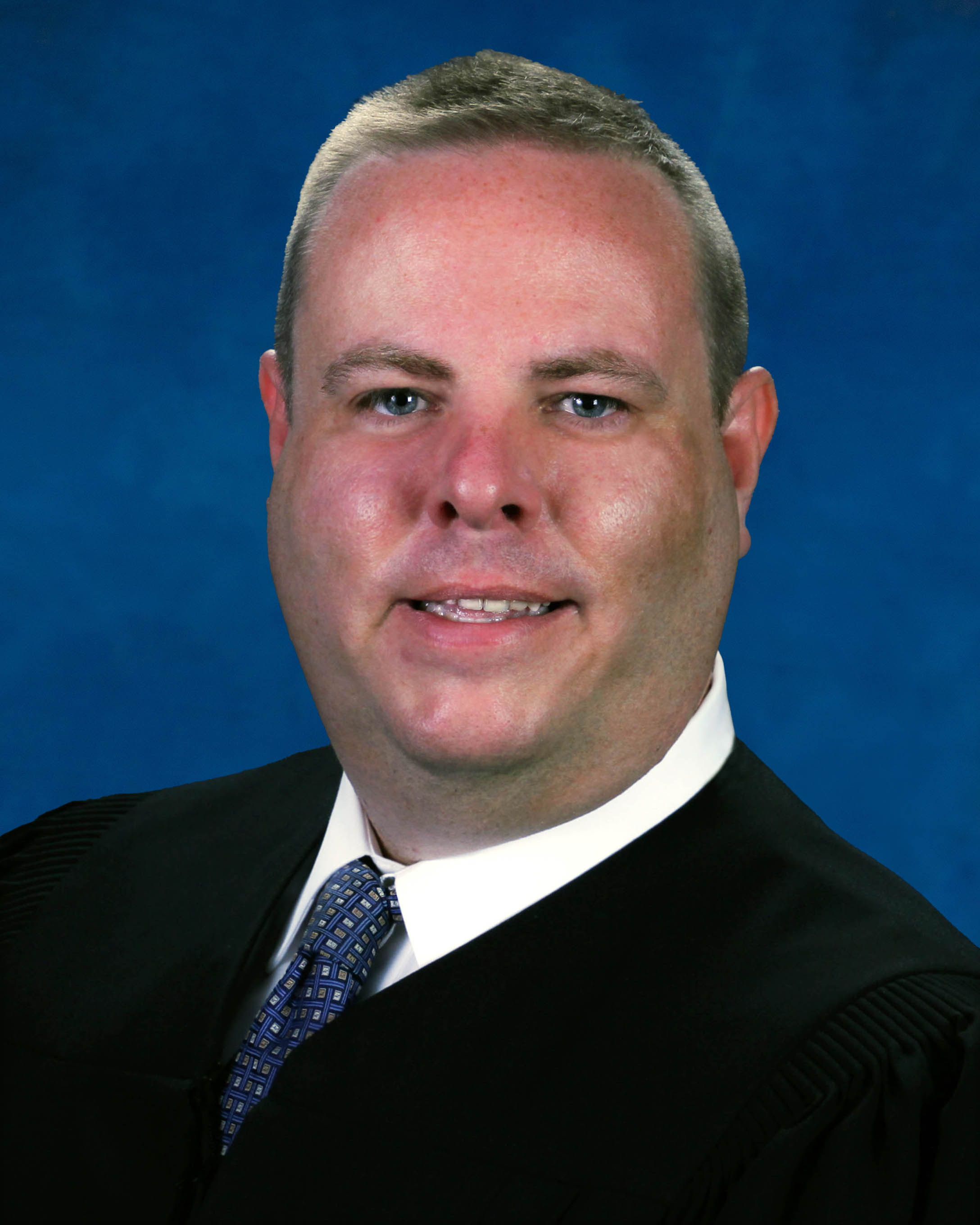
Judge Michael C. Baggé-Hernández
Individual Rules, Standing Orders & Policies
Limits & Logistics
Document Limits
Courtesy Copies
Courtesy copies
- No Later Than 5 Days Before Hearing
Emergency Motion
- Email • After Filing
Exhibits
Chambers Copy
Court-wideAdjournments
- Continuances are disfavored and require good cause, a prompt request after the need arises, and generally filing and service at least five days before the scheduled court date.
Communication
Chambers
Phone
Chambers
Clerk
Clerk
Clerk
Document Format Requirements6 rules
Agreed and unopposed proposed orders must use PDF format.
Agreed and unopposed proposed orders must be submitted in PDF format through the Florida Courts E-Filing Portal unless the Court directs otherwise.
Competing proposed orders requested by the Court must use Word format.
Competing proposed orders, when requested by the Court, must be submitted in Word format by e-mail to civdivj@fljud13.org, with all parties copied.
DOCX
Exhibits must be clearly labeled before the hearing using the stated party-specific format or another clear format agreed by the parties and approved by the Court.
Exhibits must be clearly labeled before the hearing. Unless otherwise ordered, exhibits should be labeled “Plaintiff’s 1,” “Plaintiff’s 2,” “Defendant’s A,” “Defendant’s B,” or in another clear format agreed by the parties and approved by the Court.
Digital materials should be searchable, paginated, and accessible as required by applicable law and Rule 2.526.
Digital materials should be searchable, paginated, and accessible to the extent required by Fla. R. Gen. Prac. & Jud. Admin. 2.526 and applicable law.
A proposed order may not place the Judge’s signature line on a page separate from its substantive text.
The Court will not sign a proposed order that places the Judge’s signature line on a separate page from the substantive text of the order.
An authorized or requested courtesy copy must be submitted in searchable PDF format whenever practicable.
If a courtesy copy is authorized or requested, it must be e-mailed to civdivj@fljud13.org, copied to all parties, in searchable PDF format whenever practicable.
Document Filing Requirements10 rules
A proposed-order certification may state nonresponse only if at least five days have elapsed without a response.
It is not sufficient to state that a party has not responded unless at least five days have elapsed without a response.
Document Type
Proposed Order
A communication-technology motion must contain specified procedural, evidentiary, timing, access, good-cause, and party-position information; merely noting no opposing response is insufficient.
The motion must identify the specific form of communication technology requested; provide directions for access if different from the Division J Zoom information; state whether the proceeding is evidentiary; state whether testimony, exhibits, credibility determinations, or disputed facts are involved; state the amount of hearing time reserved; explain the good cause for the request when testimony is involved; and state whether each party agrees or objects. A statement that the movant has not received a response from an opposing party is insufficient.
Document Type
Motion
A motion to set a case for trial must certify that the movant discussed trial-setting with all other parties or that the other parties failed to respond.
A motion to set the case for trial must certify that the movant has discussed the setting of the case for trial with all other parties or that the other parties have failed to respond.
Document Type
Motion
Requested special jury instructions must be filed and provided by the trial-order deadline or at least seven days before trial, and each must be numbered, address one subject, be nonargumentative, and cite authority.
Requested special jury instructions must be filed and provided to the Court by the deadline in the trial order or, if no deadline is stated, at least seven days before trial. Each requested special instruction must be numbered, limited to one subject, non-argumentative, and supported by a citation to authority.
Document Type
Jury Instructions
Every proposed order must include a cover letter or submission note certifying agreement or providing the submission date and any objection received.
Every proposed order must be accompanied by a cover letter or submission note certifying that all parties agree to the proposed order or stating when the proposed order was provided to all parties and whether any objection was received.
Document Type
Proposed Order
A motion to compel discovery must certify a good-faith conference and genuine efforts to resolve the dispute, and a noncompliant motion may be denied.
Motions to compel discovery must comply with the good-faith conference certification requirements of Fla. R. Civ. P. 1.380. The Court expects genuine good-faith efforts to resolve discovery disputes before a motion to compel is filed. A motion that does not comply may be denied.
Document Type
Discovery Motion
An emergency motion must identify the relief and supporting facts, explain why ordinary processing is inadequate, address notice, identify evidence or testimony and time needs, and state any circumstance supporting expedited review.
A motion requesting emergency treatment must state: The specific relief requested; The facts supporting emergency treatment; Why the matter cannot be heard in the ordinary course; Whether notice has been provided to all parties and, if not, the legal basis for proceeding without notice; Whether evidence or testimony will be presented; The amount of time needed by each party; and Any deadline, lockout, sale, writ, expiration, health, safety, possession, or other circumstance supporting expedited review.
Document Type
Emergency Motion
Emergency relief requires a detailed motion filed with the Clerk and served on all parties unless legally authorized ex parte relief applies; email is not a substitute.
A party seeking emergency relief must file a detailed motion with the Clerk and serve all parties unless ex parte relief is authorized by law. An e-mail to the judicial assistant is not a request for emergency relief and is not a substitute for a filed motion.
Document Type
Emergency Motion
A party seeking communication-technology participation must file and serve a Rule 2.530 motion as early as practicable and digitally provide it to the Court with copies to all parties, unless the proceeding is already remote.
A party requesting to appear, present testimony, or otherwise participate by communication technology must file a written motion under Fla. R. Gen. Prac. & Jud. Admin. 2.530 unless the Court has already designated the proceeding as remote. The motion must be filed and served as far in advance as practicable, and must be provided to the Court digitally at civdivj@fljud13.org, with copies to all parties.
Document Type
Motion
Proposed agreed orders must begin with the words “Agreed Order” in the caption, and their first paragraph must identify the parties' agreement and the filing supporting the relief.
Proposed orders on agreed relief or jointly requested relief should begin with “Agreed Order” in the caption. The first paragraph must state that the parties agree to the relief and identify the stipulation, motion, or other filing providing the basis for the relief.
Document Type
Proposed Order
Filing & Service rules
Electronic Filing Rules
Proposed orders and judgments must be submitted digitally rather than physically sent to chambers unless the Court orders otherwise.
Proposed orders and judgments must be submitted digitally. Do not mail, hand deliver, courier, or otherwise send paper proposed orders, judgments, cover letters, envelopes, or related materials to chambers unless the Court specifically orders otherwise.
Page 1 | Digital Submission Only
Agreed and unopposed proposed orders must be filed as PDFs through the Florida Courts E-Filing Portal unless the Court directs otherwise.
Agreed and unopposed proposed orders must be submitted in PDF format through the Florida Courts E-Filing Portal unless the Court directs otherwise.
Page 1 | Format
Proposed agreed orders must be submitted digitally rather than in paper form.
Proposed agreed orders must be submitted digitally.
Page 1 | Stipulations
Documentary exhibits intended for Court consideration must be filed through the E-Filing Portal or its exhibit function and exchanged with all parties; emailing the judicial assistant does not make an exhibit evidence.
Unless otherwise ordered, all documentary exhibits a party wants the Court to consider must be filed with the Clerk through the E-Filing Portal or uploaded through the Portal’s exhibit function if available. Exhibits must also be exchanged with all parties. E-mailing a document to the judicial assistant does not make it evidence.
Page 1 | Digital Filing and Exchange
Opposed or competing proposed orders may not be uploaded through the E-Filing Portal without specific Court authorization.
Opposed or competing proposed orders should not be uploaded through the E-Filing Portal unless the Court specifically authorizes that method.
Page 1 | Opposed or Competing Orders
Court-requested competing proposed orders must be sent by email in Word format to the judicial office, with all parties copied.
Competing proposed orders, when requested by the Court, must be submitted in Word format by e-mail to civdivj@fljud13.org, with all parties copied.
Page 1 | Format
Filing Timing and Cure Windows
Hearing materials and any authorized courtesy copy must be submitted no later than five days before the hearing.
Unless otherwise ordered, all materials a party wants the Court to review for a hearing must be filed and, if a courtesy copy is authorized, digitally provided to the Court no later than five days before the hearing. Materials received after the deadline may not be considered.
Page 1 | Hearing Materials Deadline
Absent a deadline in the trial order, requested special jury instructions must be filed and provided to the Court at least seven days before trial.
Requested special jury instructions must be filed and provided to the Court by the deadline in the trial order or, if no deadline is stated, at least seven days before trial.
Page 1 | Jury Demand and Jury Instructions
Unless otherwise ordered, documentary evidentiary exhibits must be filed, exchanged, and provided digitally no later than five days before the hearing.
Unless otherwise ordered, documentary exhibits for evidentiary hearings must be filed, exchanged, and provided to the Court in digital form no later than five days before the hearing.
Page 1 | Deadline
Unless otherwise ordered, a proposed order must be submitted within 14 days after the hearing.
Unless otherwise ordered, proposed orders must be submitted within 14 days after any hearing.
Page 1 | Orders After Hearing
Legal authority voluntarily provided to the Court must be submitted digitally no later than five days before the hearing unless the Court orders otherwise.
If a party wishes to provide legal authority, the materials must be provided digitally no later than five days before the hearing unless the Court orders otherwise.
Page 1 | Case Law Not Required
Service and Proof of Service Rules
Attorneys and self-represented litigants must keep current email addresses for electronic service unless excused.
Attorneys and self-represented litigants must maintain current e-mail addresses for electronic service unless excused.
Page 1 | E-Service and JAWS Contact Information
Courtesy Copy Requirements
Any required courtesy copy must be sent digitally to the judicial office and copied to all parties unless the Court orders otherwise.
When these procedures require a courtesy copy, the copy must be provided digitally to civdivj@fljud13.org and copied to all parties, unless the Court orders otherwise.
Page 1 | Paperless Chambers
Hearing materials must be filed and any authorized digital courtesy copy provided at least five days before the hearing; late materials may be disregarded.
Unless otherwise ordered, all materials a party wants the Court to review for a hearing must be filed and, if a courtesy copy is authorized, digitally provided to the Court no later than five days before the hearing. Materials received after the deadline may not be considered.
Page 1 | Hearing Materials Deadline
A digital exhibit courtesy copy must be emailed to the judicial office with all parties copied, in searchable PDF when practicable, with each exhibit separately provided and clearly labeled when practicable.
If a digital courtesy copy is provided, it must be emailed to civdivj@fljud13.org, copied to all parties, and in searchable PDF format whenever practicable. Each exhibit should be filed or provided separately when practicable, with a clear exhibit label and description.
Page 1 | Digital Courtesy Copy to Court
An authorized or requested courtesy copy must be emailed to the judicial office with all parties copied, preferably as a searchable PDF and with a subject line identifying the case, hearing date, and matter.
If a courtesy copy is authorized or requested, it must be e-mailed to civdivj@fljud13.org, copied to all parties, in searchable PDF format whenever practicable. The e-mail subject line must include the case number, case name, hearing date, and motion or matter to be heard.
Page 1 | Digital Courtesy Copies
After filing an emergency motion, the movant may email a courtesy copy to the Court with all parties copied, using a subject line identifying it as an emergency motion and naming the case.
After filing an emergency motion, the movant may e-mail a courtesy copy to civdivj@fljud13.org, with all parties copied, unless ex parte communication is authorized by law. The subject line must clearly state “Emergency Motion” and identify the case number and case name.
Page 1 | Digital Courtesy Notice
Courtesy copies of case law are not required unless requested; voluntarily provided legal authority must be submitted digitally at least five days before the hearing unless otherwise ordered.
Courtesy copies of case law are not required unless requested by the Court. If a party wishes to provide legal authority, the materials must be provided digitally no later than five days before the hearing unless the Court orders otherwise.
Page 1 | Case Law Not Required
Filing Bundling Requirements
For voluminous materials, parties should file the materials and email a concise index with docket references instead of sending large attachments or external links unless the Court authorizes links.
For voluminous materials, parties should file the materials and e-mail a concise index with docket references rather than sending large attachments. Do not send cloud-storage links, compressed folders, external drive links, or file-sharing links unless the Court specifically authorizes that method.
Page 1 | Voluminous Materials
Adjournment & Extension Requirements
Continuances are disfavored and require good cause, a prompt request after the need arises, and generally filing and service at least five days before the scheduled court date.
Continuances are disfavored and will be granted only on good cause shown. A request for continuance must be filed and served promptly after the need for a continuance is known and, absent good cause, at least five days before the scheduled court date.
Page 1 | Continuances
Chambers Communication Rules
The Court will not initiate, permit, or consider unauthorized ex parte communications concerning pending or impending proceedings.
The Court cannot initiate, permit, or consider ex parte communications concerning a pending or impending proceeding unless authorized by law.
Page 1 | Ex Parte Communications
A party canceling a hearing on the day it is scheduled must also telephone the judicial assistant.
If the hearing is canceled the same day it is scheduled, the party canceling the hearing must also call the judicial assistant.
Page 1 | Cancellations
Emails to the judicial office must copy every attorney and self-represented party and may not use blind copies unless ex parte communication is authorized by law.
All e-mails to the judicial office must copy all attorneys and all self-represented parties. Do not use blind copies. Unless an ex parte communication is authorized by law, the judicial office will not consider an e-mail that does not copy all parties.
Page 1 | Copy All Parties
Parties must immediately notify the judicial assistant by email when a hearing is canceled.
Parties must notify the judicial assistant immediately by e-mail if a hearing is canceled.
Page 1 | Cancellations
Email to the judicial assistant is limited to scheduling, administrative coordination, and authorized courtesy copies and cannot substitute for formally filed relief papers or service.
E-mail to the judicial assistant is for scheduling, administrative coordination, and courtesy copies authorized by these procedures or by Court order. A party seeking relief must file a motion or other appropriate paper with the Clerk and must serve all parties. E-mail correspondence is not a substitute for a filed motion, notice, stipulation, or memorandum.
Page 1 | No Substantive Requests by E-mail
Parties must promptly notify the judicial assistant when a case settles, is voluntarily dismissed, or no longer needs hearing or trial time.
When a case settles, is voluntarily dismissed, or no longer requires hearing or trial time, the parties must promptly notify the judicial assistant so the time may be released for another case.
Page 1 | Settlement or Voluntary Dismissal
If a party cannot receive email or digital service, the submitting party must notify the judicial assistant by email, copy all parties, and request case-specific instructions.
If any party has been excused from e-mail service or cannot receive digital service, the submitting party must alert the judicial assistant by e-mail, copied to all parties, and request case-specific instructions.
Page 1 | Parties Excused From E-Service
A moving party may request a case management or status conference through the online scheduling platform or by emailing the judicial assistant and copying all parties.
The moving party may schedule a case management conference or status conference through the online scheduling platform when available or by contacting the judicial assistant by e-mail at civdivj@fljud13.org, copying all parties.
Page 1 | Scheduling
Requests for court dates should be submitted through JAWS when available or by email, with a subject line identifying the case number, case name, and matter to be scheduled.
Communications with the judicial office are preferred by e-mail to civdivj@fljud13.org. All requests for court dates must be made through JAWS when available or by e-mail as set forth below. The subject line should include the case number, case name, and the matter to be scheduled.
Page 1 | Method of Communication