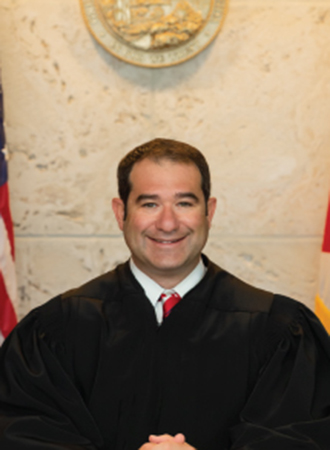
Judge Kyle Cohen
Individual Rules, Standing Orders & Policies
- Rules last changed:
Limits & Logistics
Courtesy Copies
Motion
Court-wideNotice Of Compliance
Court-wide- Immediately Upon Filing
Adjournments
- A hearing longer than 60 minutes cannot be cancelled by the parties without a stipulation signed by both parties and filed with the clerk; a copy of the filed stipulation must then be emailed to the judicial assistant.
- A stipulation to continue trial does not automatically continue the trial; it must be set for a hearing before docket sounding and should state the reasons for the request.
- Parties must continue preparing for trial as scheduled unless the court enters an order granting a continuance.
- +1 more
Request must include
Communication
Clerk4 contacts
- jacslee@ca.cjis20.org
- (239) 533-1727
- 941-637-2257
- 941-637-2214
Other Contacts4 contacts
- unassignedcivil@ca.cjis20.org
- ggentilecivil@ca.cjis20.org
- (941) 637-2110
- (239) 533-1771
Chambers2 contacts
- cphillips@ca.cjis20.org
- (239) 533-8244
Document Format Requirements3 rules
For a Zoom evidentiary hearing, counsel must submit a hard copy of the evidence to the judge at least 48 hours before the hearing in a tabbed binder with an Exhibit List Index.
Evidentiary Hearings set via Zoom: Please submit a hard copy of the evidence to the Judge at least 48-hours prior to the hearing. Please submit in a tabbed binder, with an Exhibit List Index.
Paper
All orders must use Times New Roman font at 12-point size.
All orders should be in font Times New Roman, font size 12.
The Agreed Case Management Plan must be submitted to the Civil Department in Word format.
Agreed Case Management Plan: Please submit your Agreed Case Management Plan to the Civil Department in Word Format.
DOCX
Document Filing Requirements11 rules
Every Notice of Hearing must include the JACS confirmation number.
Your JACS Confirmation Number MUST be on your Notice of Hearing.
Document Type
Notice Of Hearing
A Notice of Hearing for a Zoom hearing must state that the hearing is via Zoom and include Judge Cohen’s Zoom Meeting ID.
The Notice of Hearing must clearly indicate that the hearing will be via Zoom and will need to list Judge Cohen’s Zoom Meeting ID.
Document Type
Notice Of Hearing
Every Notice of Hearing must state the JACS confirmation number, motion title, filing date, hearing date and time, courtroom, and requested hearing duration.
You MUST include your JACS confirmation number, title of the motion(s), filed date, date and time of hearing, courtroom and the amount of time that was requested on the Notice of Hearing.
Document Type
Notice Of Hearing
Discovery motions scheduled for a hearing of 15 minutes or longer before Magistrate Bernardo must contain a Certificate of Good Faith.
Discovery motions (shall contain a Certificate of Good Faith)
Document Type
Discovery Motion
An extended-hearing scheduling email must identify the pleading, its filing date, and the amount of hearing time requested.
In the email, please indicated the pleading that you need set, when it was filed with the court, and how much time you are requesting.
Document Type
Extended Hearing Time Request
The drafting attorney must submit the proposed order in Word format with a cover letter stating that there are no objections.
The drafting attorney shall then submit a copy of the proposed order to the Court (in Word format). A cover letter is required. In the cover letter, please state that there are no objections.
Document Type
Proposed Order
A cancelled hearing requires filing a Notice of Cancellation with the clerk and emailing a copy to the judicial assistant no later than 4:00 p.m. on the business day before the hearing.
Cancellations: If you cancel a hearing, you are required to file a Notice of Cancellation with the Clerk. You must contact the Judicial Assistant via email with a copy of the Notice of Cancellation no later than 4:00 p.m. the business day prior to the scheduled hearing.
Document Type
Notice Of Cancellation
If counsel objects to an order or judgment, counsel must redline it and submit it to the judge with a cover letter identifying the drafter and source of the redlines; competing orders must not be submitted unless the court directs.
If counsel objects to an order or judgment, opposing counsel is to redline the order and then submit it to the judge, with a cover letter explaining who the drafter of the order is and who the redlines are from. Please do not submit competing orders unless directed by the Court.
Document Type
Order Or Judgment
The drafting attorney must provide proposed orders to opposing counsel with a reasonable time for approval or comment before submitting them to the court, and opposing counsel must promptly communicate objections.
Proposed orders shall be provided to other counsel with a reasonable time for approval or comment prior to submission to the court. Opposing counsel should promptly communicate any objections thereto.
Document Type
Proposed Order
The proposed order’s document title must begin with the case number, and emergency or time-sensitive orders must include “Emergency or Urgent” before the case number using the specified format.
When you upload the proposed order, please put the case number first in the “Document Title” filed on the “Add/Edit Document” screen when you submit the order. Also, if your document is an emergency or time-sensitive, please put the word “Emergency or Urgent” before the case number. Please use the following format for the case number: 20CA123 (two digit year, CA/CP/GA/MH and case number with no leading zeros).
Document Type
Proposed Order
The pretrial order must use the updated or revised form available on the court website or it will be rejected.
Please ensure you are using the updated/revised Pre-Trial Order that is on the website, or it will be rejected.
Document Type
Pretrial Order
Filing & Service rules
Electronic Filing Rules
A proposed order must be submitted through the court’s e-filing portal after the underlying motion appears on the Clerk’s docket.
Proposed orders should now be submitted via the e-filing portal at https://www.myflcourtaccess.com/default.aspx. The Motion will need to appear on the Clerk’s docket before the order can be considered. Once the motion appears on the Clerk’s docket, you can submit the proposed order.
Page 3 | Proposed Orders
The agreed pretrial conference order must be submitted through the court portal.
Pre-Trial Conference Orders: All Pre-Trial Conferences will be held in-person and conducted in Courtroom 4-J. Please submit your AGREED Pre-Trial Conference Orders through the portal.
Page 4 | Pre-Trial Conference Orders
Filing Timing and Cure Windows
A hard copy of the evidence must be submitted to the judge at least 48 hours before a Zoom evidentiary hearing.
Please submit a hard copy of the evidence to the Judge at least 48-hours prior to the hearing.
Page 3 | Evidentiary Hearings set via Zoom
A cancellation notice received after 4:00 p.m. generally requires the parties to appear at the scheduled hearing unless the judicial assistant advises otherwise.
Any notices received after 4:00 p.m. will still require the parties to appear for the scheduled hearing, unless otherwise advised by the Judicial Assistant.
Page 4 | Cancellations
Anticipated case law for an in-person evidentiary hearing must be emailed to the judicial assistant at least 48 hours before the hearing.
Any Case Law that you anticipate to submit should be emailed to the Judicial Assistant at least 48- hours prior to the hearing.
Page 4 | Evidentiary Hearings set in-person
Service and Proof of Service Rules
An Order of Referral must be prepared, and mag-bernardohearings@ca.cjis20.org must be added to the Electronic Service List.
Please prepare an Order of Referral and add mag-bernardohearings@ca.cjis20.org to the Electronic Service List.
Page 2 | Motion to be heard by Magistrate Bernardo
Adjournment & Extension Requirements
A stipulation to continue trial does not automatically continue the trial; it must be set for a hearing before docket sounding and should state the reasons for the request.
Stipulation to Continue Trial does not automatically continue the trial and MUST be set for a hearing prior to the Docket Sounding. Such Stipulations should set forth the reasons
Page 4 | Continuance
A hearing longer than 60 minutes cannot be cancelled by the parties without a stipulation signed by both parties and filed with the clerk; a copy of the filed stipulation must then be emailed to the judicial assistant.
There will be no cancellation by the parties of a hearing is over 60-minutes without a filed stipulation signed by both parties and filed with the Clerk. Once you have the stipulation filed, please email a copy of the filed stipulation to the Judicial Assistant.
Page 4 | Cancellations
An opposed motion to continue must include the moving party’s written consent and be coordinated for hearings through JACS.
All opposed motions to continue must include the moving party’s written consent and be coordinated for hearings using JACS.
Page 5 | Continuance
Parties must continue preparing for trial as scheduled unless the court enters an order granting a continuance.
All parties shall continue to prepare for trial as scheduled unless an Order is entered granting a continuance.
Page 5 | Continuance
Chambers Communication Rules
Hearings requiring at least one hour must be scheduled directly with the Judicial Assistant by email at cphillips@ca.cjis20.org.
Extended Hearings: Hearings requiring one hour or more shall be scheduled directly with the Judicial Assistant. To request hearing time, please email cphillips@ca.cjis20.org.
Page 2 | Extended Hearings
A user unable to log in to JACS must email the JACS administrator with the user’s bar number.
If you are unable to successfully log-in, send an email with your bar number to JACSLee@ca.cjis20.org
Page 1 | IMPORTANT JACS LOG-ON INFORMATION
Scheduling problems with JACS should be reported to the JACS administrator by email.
If you are having problems scheduling, please email the JACS Administrator at JACSLee@ca.cjis20.org
Page 1 | IMPORTANT JACS LOG-ON INFORMATION
Judge Cohen’s Judicial Assistant may be contacted by phone at (239) 533-8244 or by email at cphillips@ca.cjis20.org, with email preferred.
You may contact Judge Cohen’s Judicial Assistant, Cheyanne Phillips, at (239) 533-8244 or via email at cphillips@ca.cjis20.org. Due to the high volume of calls, the preferred method of communication is via email.
Page 1 | Contacting Judge Cohen’s Office