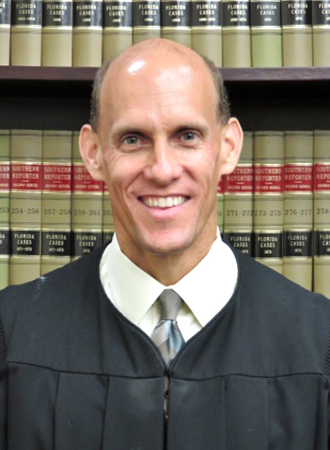
Judge Michael T. McHugh
Individual Rules, Standing Orders & Policies
Limits & Logistics
Courtesy Copies
Courtesy copies
Motion
Court-wideNotice Of Compliance
Court-wide- Immediately Upon Filing
Communication
Other Contacts3 contacts
- scheduling@courtscribes.com
- kwagner@ca.cjis20.org
- (833) SCRIBES (727-4237)
Clerk3 contacts
- (239) 533-1727
- 941-637-2257
- 941-637-2214
Chambers1 contacts
- 239-533-2775
Document Format Requirements1 rule
All proposed orders must use word format and contain no special characters or spacing so they remain editable if necessary.
All proposed orders must be submitted in word format with no special characters or spacing so that the order can be edited if necessary.
Document Filing Requirements11 rules
A remote appearance requires a joint stipulation signed by both parties and agreement by both parties to appear remotely.
Remote appearances will be allowed if the parties file a joint stipulation signed by BOTH parties and BOTH parties agree to appear remotely.
Document Type
Joint Stipulation For Remote Appearance
A CourtScribes remote-appearance request must include the attorney-specified party, contact, court, appearance, case, proceeding, and representation information that follows.
The following information is required:
Document Type
Remote Appearance Scheduling Request
File a Notice of Hearing with the Clerk and serve it on all parties immediately after reserving hearing time, and include the required ADA notification.
A Notice of Hearing must be filed and served immediately after reserving hearing time. The notice must be filed with the Clerk and served on all parties. All notices of hearing must contain the ADA notification required by Florida Rule of General Practice and Judicial Administration 2.540
Document Type
Notice Of Hearing
A remote appearance requires a joint stipulation signed by both parties and their agreement to appear remotely, and no proposed order granting remote appearance should be submitted.
Remote appearances will be allowed if the parties file a joint stipulation signed by BOTH parties and BOTH parties agree to appear remotely. Please DO NOT submit an order granting remote appearance. A stipulation in the file is the only requirement.
Document Type
Joint Stipulation For Remote Appearance
A motion submitted for emergency review must expressly indicate that it is an emergency.
If you would like Judge McHugh to review a motion on an emergency basis you must file a motion that indicates it is an emergency.
Document Type
Emergency Motion
Parties should not submit an order requesting a remote appearance because a filed stipulation is the only requirement.
Please do not submit an order granting remote appearance, a stipulation in the file is the only requirement.
Document Type
Remote Appearance Order
The remote-appearance rules apply to every hearing before Judge McHugh, including pre-trial conferences and docket-sounding hearings.
These remote appearance rules apply for all hearings scheduled before Judge McHugh including Pre-Trial Conference and Docket Sounding hearings.
Document Type
Remote Appearance Stipulation
A proposed or agreed order may be submitted for judicial review after compliance with the instructions and continuance rule, but an agreed order requires consent from every party.
A proposed order or an agreed order may be submitted for Judge McHugh to review provided the parties have followed the instructions and complied with the rule discussed above. Agreed orders must have consent from all parties.
Document Type
Proposed Order
A remote-appearance scheduling request must identify the appearing party, contact information, court location, department, appearance date and time, case name and number, nature of the proceeding, and represented party.
The following information is required: Name of party appearing remotely Contact information (email and phone) Court location Judge/department(e.g., family, civil) ===== PAGE 4 ===== Appearance date/time Case name & case number Nature of proceeding Party being represented
Document Type
Remote Appearance Scheduling Information
The remote-appearance rules apply to all hearings scheduled before Judge McHugh, including pretrial conferences and docket-sounding hearings.
These remote appearance rules apply for all hearing scheduled before Judge McHugh including Pre-Trial Conference an docket Sounding hearings.
Document Type
Joint Stipulation For Remote Appearance
Discovery motions lasting at least 15 minutes should be scheduled before the magistrate, with a completed Order of Referral uploaded to the E-portal and the Magistrate’s Assistant contacted to arrange the hearing.
Any discover motions lasting 15 minutes or more should be scheduled before the magistrate. Please complete the Order of Referral to the Magistrate and upload to the E-portal and contact the Magistrate’s Assistant at KWagner@ca.cjis20.org to schedule your hearing.
Document Type
Order Of Referral To Magistrate
Filing & Service rules
Electronic Filing Rules
The completed Order of Referral to the Magistrate must be uploaded to the E-portal.
Please complete the Order of Referral to the Magistrate and upload to the E-portal
Page 3 | B. Scheduling Procedures
All orders must be submitted through the E-Filing Portal at the stated website.
All orders are to be submitted via the E-Filing Portal at https://www.myflcourtaccess.com/
Page 4 | D. Submission of Orders and Judgments
Documents submitted to the judge before a hearing may be e-filed with the clerk or mailed to the judge’s office.
If you would like to submit something to the Judge prior to a hearing, you may either e-file the documents with the Clerk, or mail them into the office.
Page 4 | E. Courtesy Copies of Case law and Other Documents
Filing Timing and Cure Windows
The joint remote-appearance stipulation must be filed no later than five days before the hearing.
This stipulation must be filed no later than five (5) days prior to the scheduled hearing.
Page 1 | Judge McHugh Procedures
The joint stipulation for a remote appearance must be filed no later than five days before the scheduled hearing.
This stipulation must be filed no later than five days prior to the scheduled hearing.
Page 3 | C. Remote Appearance
If you do not receive confirmation within 2 hours of placing your order and making payment, call (833) SCRIBES (727-4237) for assistance.
If you do not receive confirmation within 2 hours of placing your order and making payment, call (833) SCRIBES (727-4237) for assistance.
Page 1 | COURTSCRIBES REMOTE APPEARANCE FOR ATTORNEYS: Instructions for the Attorneys
Attorneys may arrange a remote appearance on 48 hours' advance notice using one of the listed scheduling methods.
Attorneys may schedule a remote appearance with 48-hour advance notice by any one of the following means:
Page 1 | COURTSCRIBES REMOTE APPEARANCE FOR ATTORNEYS: Instructions for the Attorneys
Courtesy Copy Requirements
Judge McHugh does not require courtesy copies of pleadings.
Judge McHugh does not require copies of any pleadings.
Page 4 | E. Courtesy Copies of Case law and Other Documents
Adjournment & Extension Requirements
Continuances are disfavored and require a showing of good cause; absent good cause, the continuance motion must be signed by the requesting party.
Continuances are disfavored and will be granted only upon good cause shown. Except for good cause shown, the motion must be signed by the party requesting continuance, as required by Florida Rule of General Practice and Judicial Administration 2.545(e).
Page 2 | B. Scheduling Procedures
A trial continuance may not be requested through a CMC or status-conference request, and the court will not schedule such a hearing when a continuance is being requested.
A party may not request a trial continuance in the request for a CMC or status conference. The court will not schedule hearings if the CMC or status conference if a trial continuance is being requested.
Page 5 | G. Pretrial Procedures and Conferences
Chambers Communication Rules
Every hearing must be scheduled with the Judicial Assistant before any remote appearance is arranged.
All hearings must first be scheduled with the Judicial Assistant before any remote arrangements are made.
Page 1 | Judge McHugh Procedures
All parties must be copied on communications directed to the judicial office unless an ex parte communication is authorized by law.
All parties must be copied on any communication directed to the judicial office, unless an ex parte communication is authorized by law.
Page 1 | A. Communications with the Judicial Office
After selecting and coordinating a hearing date, speak directly with the judicial assistant to schedule the hearing; leaving only a message will not schedule it.
Once a hearing date has been selected and coordinated with opposing counsel, please contact Judge McHugh’s judicial assistant, Kathy at 239-533-2775 to schedule the hearing. You must speak with the judicial assistant directly to schedule a hearing. Please do not leave a message requesting the hearing date and time; your hearing will not be scheduled.
Page 2 | B. Scheduling Procedures
If you do not receive confirmation within 2 hours of placing your order and making payment, call (833) SCRIBES (727-4237) for assistance.
If you do not receive confirmation within 2 hours of placing your order and making payment, call (833) SCRIBES (727-4237) for assistance.
Page 1 | COURTSCRIBES REMOTE APPEARANCE FOR ATTORNEYS: Instructions for the Attorneys
Unless Judge McHugh specifically instructs otherwise, communicate with the judicial office by phone to the Judicial Assistant rather than by email.
The judicial office does not accept any communication via email unless the parties have been specifically instructed to do so by Judge McHugh. All communication should be done by phone to the Judicial Assistant.
Page 1 | A. Communications with the Judicial Office
The Magistrate’s Assistant must be contacted at KWagner@ca.cjis20.org to schedule the magistrate hearing.
contact the Magistrate’s Assistant at KWagner@ca.cjis20.org to schedule your hearing.
Page 3 | B. Scheduling Procedures
Parties may schedule a remote appearance by email to CourtScribes with at least 48 hours’ advance notice.
Parties may schedule a remote appearance with 48 hour advance notice by any one of the following means: scheduling online (preferred method) at https://scheduling.courtscribes.com/. emailing to scheduling@courtscribes.com calling (833) SCRIBES (727-4237)
Page 3 | C. Remote Appearance
Attorneys may schedule a CourtScribes remote appearance by email to scheduling@courtscribes.com.
emailing to scheduling@courtscribes.com
Page 1 | COURTSCRIBES REMOTE APPEARANCE FOR ATTORNEYS: Instructions for the Attorneys
Attorneys may schedule a CourtScribes remote appearance by calling 833-274-2237.
calling (833) SCRIBES (727-4237)
Page 1 | COURTSCRIBES REMOTE APPEARANCE FOR ATTORNEYS: Instructions for the Attorneys
Check the Clerk’s docket for a proposed order’s status and allow sufficient time before contacting the judicial office about that status.
To verify the status of a proposed order please refer to the Clerk’s docket to see if the order has been entered. Please give sufficient time before contacting the judicial office to ask the status of a proposed order.
Page 1 | A. Communications with the Judicial Office