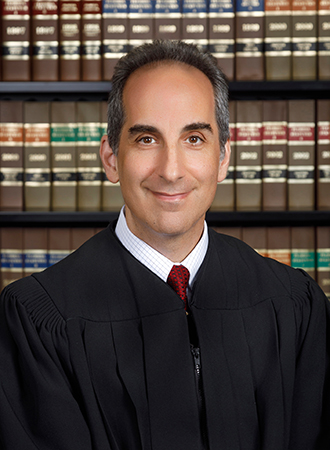
Judge Russell T. Kirshy
Individual Rules, Standing Orders & Policies
- Rules last changed:
Limits & Logistics
Courtesy Copies
Motion
Court-wideNotice Of Compliance
Court-wide- Immediately Upon Filing
Adjournments
Court-wideRequest must include
Communication
Other Contacts7 contacts
- ggentilecivil@ca.cjis20.org
- charlottehelpdesk@ca.cjis20.org
- rkirshycivil@ca.cjis20.org
- (941) 833-3033
- (941)613-3934
- 941-833-3064 or 941-637-2399
Show 1 moreShow fewer
- (941) 637-2149
Chambers3 contacts
- jbadali@ca.cjis20.org
- cha-dependency@ca.cjis20.org
- cha-magistrate@ca.cjis20.org
Clerk3 contacts
- grace.colon@charlotteclerk.com
- stacey.mininsohn@charlotteclerk.com
- 941-637-2214
Document Format Requirements24 rules
At docket sounding, counsel or parties must submit both a Microsoft Word electronic version and a printed copy of the jury instructions and verdict form.
Counsel/parties shall submit to the Court both an electronic version in Microsoft Word and a printed copy of the jury instructions and verdict form at docket sounding.
Answers to the final declaration must be typed or printed legibly in black ink.
You must answer every question, by typing or printing legibly in BLACK ink.
RTF files are unacceptable, and WordPerfect files must be converted to Word, with compatibility concerns arising from outdated WordPerfect software.
“RTF” files are not acceptable, and if your office uses WordPerfect, you can convert the WP files to Word files, but if your WP program has not been upgraded for many years, the version of Word that is produced may not be compatible with the judicial software that must process the proposed order.
Proposed orders must omit the date, judge signature line and judge’s name, and certificate of service from the document’s end, while retaining the phrase “Ordered and Adjudged.”
All proposed orders MUST be stripped of the following Modifications information at the bottom/end of document: -Any reference to the date (Please keep the language “Ordered and Adjudged.”) - Judge Signature Line and Judge’s Name - Certificate of Service
Electronically submitted proposed orders must be DOCX files created in Microsoft Word version 2003 or later.
Court utilizes recent versions of Microsoft Word. No other formats will be accepted at this time. “Recent versions of Word” include all versions from 2003 and later with a “docx” file type.
DOCX
Proposed-order e-mails must use the specified case-number and case-name subject-line format.
E-mails sent must contain at a minimum the following language with subject line using the following format:
Proposed orders must use a .docx file from Microsoft Word 2003 or later; RTF, PDF, and other formats are unacceptable.
No other formats will be accepted. Recent versions of Word include all versions from 2003 to now with a “docx” file type. “RTF, PDF, etc” files are not acceptable.
DOCX
Electronically submitted proposed orders must use a recent version of Microsoft Word.
All electronically submitted proposed orders MUST be submitted to the Court utilizing recent versions of Microsoft Word.
DOCX
Only DOCX files from Microsoft Word versions 2003 or later are accepted; RTF, PDF, and other formats are prohibited.
No other formats will be accepted. Recent versions of Word include all versions from 2003 to now with a “docx” file type. “RTF, PDF, etc.” files are not acceptable.
DOCX
WordPerfect documents must be converted to Word files before submission.
WordPerfect documents must be converted to Word files.
DOCX
The Report and Recommendations and the Orders on Report must be submitted as separate documents.
Report and Recommendations and Orders on Report must be two separate documents.
Electronically submitted proposed orders must use a recent version of Microsoft Word.
All electronically submitted proposed orders MUST be submitted to the Court utilizing recent versions of Microsoft Word.
DOCX
Composite exhibits must be satisfactorily marked and bound before presentation to the court.
All composite exhibits shall be satisfactorily marked and bound before presentation to the Court.
Jury instructions must be submitted as one agreed package in presentation order, with disputed instructions flagged for review and discussion.
Jury instructions shall be submitted in one agreed upon package in appropriate order of presentation, with any disputed instructions flagged for review and discussion.
Oversized exhibits may be used, but if practicable they must be reduced to 8½ by 11 inches, with the reduced copy retained by the clerk.
Exhibits to be introduced which are larger than 8 ½ x 11" may be used at trial, but if practicable, same shall be reduced to 8 ½ x 11", and the reduced size copy shall be the exhibit retained by the Clerk in the court file.
When requesting pretrial rulings on deposition designations and objections, the parties must email PDF transcripts to the court at the stated address.
If the parties request rulings on deposition designations and objections prior to the trial, send a PDF of the transcripts via e-mail to: RKIRSHYCIVIL@CA.CJIS20.ORG
When envelopes are submitted for an unrepresented recipient, the proposed-order e-mail subject line should identify that envelopes were submitted.
In these cases, the electronic submission of the proposed order should contain a reference in the subject line of the e-mail to envelopes submitted (for example: "12-345- CA Smith v. Jones (envelopes submitted)").
A cover letter must accompany a proposed order when it is e-filed.
Please attach a cover letter to the proposed Order when e filed.
A Thursday Court Order emailed to the judge must use the prescribed subject-line format.
If emailing the Judge any Thursday Court Orders please send with the subject line as such: “Arr. Order – Smith 19-123D”.
The distribution list must appear at the bottom, generally include only attorneys and sometimes parents or the mediator, and must not include staff members who receive a printed signed copy.
The distribution list should be at the very bottom of the document and should only include attorneys and, on some occasions, parents and/or the mediator. If you want to provide a copy to a staff member please print the signed copy out and provide to them - do not add them to the distribution list.
The distribution list must be placed at the end of the document and ordinarily include attorneys, with parents or the mediator included only on some occasions.
The distribution list must be at the very end of the document and should only include attorneys and, on some occasions, parents and/or the mediator.
Multiple Reports and Orders on Report may be emailed together, but each must be labeled with the corresponding case name and number and use consistent saved filenames.
You may send multiple Reports and Orders on Report in one email, but you must label each Report and Order on Report with the name and case number of that Report and Order on Report. Be consistent with the saved document names.
The order must be submitted in MS Word format to the family law chambers email address.
Send an order in MS Word.doc/docx format to cha- familylaw@ca.cjis20.org. Please follow the format procedures outlined in the Amended Family Order Submission Procedure. We can only process orders in MS word format!
DOCX
Legal authorities in hearing materials should be highlighted, and parties and counsel should receive identical materials.
Statutes, case law and any other legal authority should be highlighted and all parties/counsel should be served with identical material.
Document Filing Requirements67 rules
A list of all proposed exhibits must accompany the pretrial order.
Attached is a list of all proposed exhibits.
Document Type
Pretrial Order
Unless the court directs otherwise, all jury instructions and verdict forms must be fully discussed and submitted before docket sounding.
Unless specifically directed otherwise by the Court, jury instructions and verdict forms shall be fully discussed and submitted prior to docket sounding.
Document Type
Jury Instructions And Verdict Form
Any proposed revision, amendment, waiver, or extension to the standard pretrial provisions must be discussed at the pretrial conference.
(NO DELETIONS OR REVISIONS ARE TO BE MADE TO STANDARD PROVISIONS, LANGUAGE, DISCLOSURES AND/OR ATTACHMENTS - YOU MUST ATTEND THE PRETRIAL CONFERENCE TO DISCUSS ANY PROPOSED REVISION/AMENDMENT/WAIVER/EXTENSION)
Document Type
Pretrial Order
The Notice of Hearing must include the hearing date and time obtained from the Judicial Assistant.
Fill in the date and time of the hearing (that you received from the Judicial Assistant) on a Notice of Hearing.
Document Type
Notice Of Hearing
The document must contain an under-penalty-of-perjury declaration that its facts are true.
11. I UNDERSTAND THAT THIS DOCUMENT WILL BE FILED WITH THE COURT. UNDER PENALTY OF PERJURY, I DECLARE THAT THE FACTS CONTAINED HEREIN ARE TRUE.
Requirement
Document requirement
The parties must attend mediation or file a settlement agreement signed by both parties.
Attend Mediation or file a Settlement Agreement that both of you have signed.
Document Type
Mediation Or Settlement Agreement
A dissolution petition must be initiated with the Petition for Dissolution, Vital Statistics Information Sheet, Civil Cover Sheet, and Notice of Related Cases.
Start the process by filing: Petition for dissolution Vital Statistics Information Sheet Civil Cover Sheet Notice of Related Cases
Document Type
Dissolution Petition
A proposed parenting plan must be filed with the dissolution petition.
Proposed Parenting Plan with your Petition.
Document Type
Proposed Parenting Plan
A Notice for Trial must be filed when all issues were not settled at mediation.
File a Notice for Trial if you did not settle all issues at mediation.
Document Type
Notice For Trial
A Florida driver license, Florida identification card, Florida voter-registration card, or affidavit of corroborating witness must be included.
Copy of Florida Driver License, Florida ID card, Florida voter registration card or Affidavit of Corroborating Witness.
Document Type
Identification Or Affidavit Of Corroborating Witness
The Civil Cover Sheet or General Information Sheet must be included.
Civil Cover Sheet/General Information Sheet
Document Type
Civil Cover Sheet Or General Information Sheet
Notices of Social Security Numbers for both parties must be included.
Notices of Social Security Numbers for BOTH parties
Document Type
Notice Of Social Security Number
The Marital Settlement Agreement must be included.
Marital Settlement Agreement
Document Type
Marital Settlement Agreement
Any motion to deviate from the Child Support Guidelines must be ruled upon by the assigned judge.
Motions to Deviate from the Child Support Guidelines must be ruled upon by the assigned Judge.
Document Type
Motion To Deviate From Child Support Guidelines
Certificates of Compliance with Mandatory Disclosure must be included.
Certificates of Compliance with Mandatory Disclosure
Document Type
Certificate
The Petition for Dissolution of Marriage must be included.
Petition for Dissolution of Marriage
Document Type
Petition For Dissolution Of Marriage
A filing date must be entered for each checklist document.
Enter the filing date for each of the following documents:
Document Type
Final Judgment Checklist
Child-support payment provisions must run through the Florida State Disbursement Unit unless the court authorizes otherwise in the Final Judgment.
Child support payment provisions through the Florida State Disbursement Unit (FSDU) unless otherwise authorized by the Court in the Final Judgment.
Document Type
Child Support Payment Provisions
A Parenting Plan must be included in cases with minor children.
Parenting Plan
Document Type
Parenting Plan
The Child Support Guidelines Worksheet must agree with the child support stated in the Final Judgment.
Child Support Guidelines Worksheet (Must agree with child support stated in the FJ).
Document Type
Child Support Guidelines Worksheet
The Answer and Waiver must be included.
Answer & Waiver
Document Type
Answer And Waiver
For cases with minor children, UCCJEA jurisdiction over the children must be confirmed.
UCCJEA: confirm the court has jurisdiction over the children
Document Type
Uccjea Jurisdiction Confirmation
Cases with minor children must include certificates of completion for the parenting-course requirement for both parties.
Certificates of completion for the parenting course requirement for BOTH parties
Document Type
Parenting Course Completion Certificate
Financial Affidavits for both parties must be included.
Financial Affidavits for BOTH parties
Document Type
Financial Affidavit
A Notice of Related Cases must be included.
Notice of Related Cases
Document Type
Notice Of Related Cases
The attorney must certify that the required documents are in the court file and that the case is ready for Final Judgment submission.
I hereby certify that all of the above relevant required documents are in the court file and the case is ready for a Final Judgment submission.
Document Type
Final Judgment Submission Certification
The date of the order on a motion to deviate from the Child Support Guidelines must be provided.
Date of Order on Motion to Deviate: ____________
Document Type
Motion To Deviate From Child Support Guidelines
The final-judgment checklist is required when a case is submitted for Final Judgment.
The following checklist is required when your case is submitted for a Final Judgment.
Document Type
Final Judgment Checklist
A Notice of Related Cases must be filed even when there are no related cases.
A Notice of Related Cases – even if there aren’t any related cases.
Document Type
Notice Of Related Cases
A Civil Cover Sheet must be filed.
A Civil Cover Sheet
Document Type
Civil Cover Sheet
Each party must provide a Notice of Social Security Number.
A Notice of Social Security Number – one for each of you.
Document Type
Notice Of Social Security Number
The filing must include either a copy of a Florida driver’s license or an Affidavit of Corroborating Witness, and only one party needs to prove residency.
A copy of your Florida Driver’s license OR Affidavit of Corroborating Witness. (Only one of you must prove residency.)
Document Type
Residency Proof
A simplified-dissolution petition must be filed, and both parties must sign it.
A petition for simplified dissolution of marriage. Both parties must sign!
Document Type
Petition For Simplified Dissolution Of Marriage
A Vital Statistics Information Sheet must be filed.
A Vital Statistics Information Sheet
Document Type
Vital Statistics Information Sheet
A Notice of Related Cases must be filed with the dissolution petition.
A Notice of Related Cases
Document Type
Notice Of Related Cases
A Vital Statistics Information Sheet, Civil Cover Sheet, and Notice of Related Cases must be filed with the dissolution petition.
A Vital Statistics Information Sheet A Civil Cover Sheet A Notice of Related Cases
Document Type
Vital Statistics Information Sheet
A dissolution petition must allege that neither spouse is in the military, no children were born during the marriage, and the wife is not pregnant.
A petition for dissolution of marriage – make sure to allege: that neither of you is in the military and that no children were born during the marriage and that the Wife is not now pregnant
Document Type
Petition
A Notice for Trial must be filed when the case was not settled at mediation.
File a Notice for Trial if you did not settle at mediation.
Document Type
Notice For Trial
A Civil Cover Sheet must be filed with the dissolution petition.
A Civil Cover Sheet
Document Type
Civil Cover Sheet
Every question on the final declaration must be answered, using “N/A” when a question does not apply.
You must answer every question, by typing or printing legibly in BLACK ink. If a question does not apply to your case, write “N/A’ in the blank.
Document Type
Final Declaration
The signer of each filing must represent that the legal authorities identified in the filing exist and are accurately cited.
The amendments expand the ===== PAGE 2 ===== existing representation under rule 2.515(d)(2) “to require the signer of a filing to represent that the legal authorities identified in that filing ‘exist and are accurately cited.’
Document Type
Filing
A completed address-designation form must be returned to the Clerk of Courts at the Charlotte County Courthouse.
Once you have completed the attached Designation form, return it to the Clerk of Courts on the first floor of the Charlotte County Courthouse, 350 E. Marion Ave, Punta Gorda, FL.
Document Type
Designation Form
Each party in a dissolution or paternity action must file an original certificate of course completion with the Clerk of Court.
Each party to a dissolution or paternity action shall file an original certificate of completion with the Clerk of Court.
Document Type
Certificate Of Completion
The parties must submit one complete set of agreed jury instructions and verdict forms.
The parties are to review Orders relating to the trial and submit one complete set of agreed Jury Instructions and Verdict forms;
Document Type
Jury Instructions And Verdict Forms
Each party must separately submit requested forms of the jury instructions and verdict forms that were not agreed.
each party will submit separate requested by not agreed Jury Instructions and Verdict forms.
Document Type
Jury Instructions And Verdict Forms
The attorney's office must include in the proposed-order e-mail body the names and addresses of all persons to be served by mail.
To assist in this process, the attorney’s office must include the name and address of those persons to be served by mail in the body of the E-mail submitting the proposed order.
Document Type
Proposed Order Email Submission
Filing & Service rules
Electronic Filing Rules
Attorneys must file documents electronically and receive documents electronically.
Attorneys are required to file and receive documents electronically, thus, if the opposing party is represented by counsel, they will be receiving documents by this method.
Page 9 | HOW QUICKLY DO YOU WANT TO RECEIVE YOUR COURT DOCUMENTS?
Attorneys must file and receive court documents electronically.
Attorneys are required to file and receive documents electronically, thus, if the opposing party is represented by counsel, they will be receiving documents by this method.
Page 1 | HOW QUICKLY DO YOU WANT TO RECEIVE YOUR COURT DOCUMENTS?
Proposed orders generally must be submitted electronically, subject to unspecified exceptions.
All proposed orders (with very few exceptions) must be submitted electronically.
Page 1 | CHARLOTTE CIVIL ELECTRONIC SUBMISSION OF PROPOSED ORDERS
Documents requiring Judge Kirshy’s signature should be sent directly through the E-Portal rather than routed through the Clerk, while documents needing Clerk action go to the Clerk.
A proposed order or other document that requires Judge Kirshy’s signature should be sent directly to the Judge via the E- Portal Do not route proposed orders through the Clerk. If certain Clerk action is needed, send the document/request to the Clerk.
Page 1 | BASIC/GENERAL RULES
The Report and Recommendations and Order on Report must be emailed to the magistrate.
The Report and Recommendations to the Magistrate and Order on Report will be emailed to the Magistrate.
Page 1 | Dependency Order Submission Procedure (for Judge and Magistrate)
Documents requiring the magistrate's signature must be emailed to cha-magistrate@CA.CJIS20.ORG.
All documents requiring signature of the Magistrate should be submitted by E-mail using the instructions contained in this document. E-mails must be sent to the following address: cha-magistrate@CA.CJIS20.ORG
Page 1 | Dependency Order Submission Procedure (for Judge and Magistrate)
After May 2, 2019, all proposed reports and orders must be submitted electronically, and paper submissions are no longer accepted.
This grace period ends on May 2nd, 2019, after which date all proposed reports and orders must be submitted electronically. No paper submissions will be accepted at this point.
Page 1 | Dependency Order Submission Procedure (for Judge and Magistrate)
Beginning April 4, 2019, proposed orders for Judge Evans must be submitted by email.
Beginning on April 4, 2019, proposed orders to the Judge Evans should be submitted electronically via E-mail.
Page 1 | Dependency Order Submission Procedure (for Judge and Magistrate)
Documents requiring the judge's signature must be emailed to cha-dependency@CA.CJIS20.ORG.
All documents requiring signature of the Judge should be submitted by E-mail using the instructions contained in this document. E-mails must be sent to the following address: cha-dependency@CA.CJIS20.ORG
Page 1 | Dependency Order Submission Procedure (for Judge and Magistrate)
Only one order may be submitted per email, and each order must be labeled with the party's name and case number.
Please submit one order per email and you must label each order with the name and case number of that order.
Page 2 | Electronic Submission of Proposed Dependency Orders to the Judge
Hearing materials over 50 pages must be mailed or hand-delivered to the court in hard copy at least three days before the hearing.
Hearing materials over 50 pages must be mailed or hand-delivered to the Court in hard copy at least 3 days prior to the scheduled hearing.
Page 1 | SUBMITTING HEARING MATERIALS
A comment filed by an attorney in good standing with The Florida Bar must be electronically filed through the Florida Courts E-Filing Portal.
If filed by an attorney in good standing with The Florida Bar, the comment must be electronically filed via the Florida Courts E-Filing Portal (Portal).
Page 3
A person unable to file electronically must mail or hand-deliver the originally signed comment to the Florida Supreme Court Office of the Clerk; no additional copies are required or accepted.
Any person unable to submit a comment electronically must mail or hand-deliver the originally signed comment to the Florida Supreme Court, Office of the Clerk, 500 South Duval Street, Tallahassee, Florida 32399; no additional copies are required or will be accepted.
Page 3
The completed designation form must be returned to the Clerk, although an ePortal account holder may file it electronically.
Once you have completed the attached Designation form, return it to the Clerk of Courts on the first floor of the Charlotte County Courthouse, 350 E. Marion Ave, Punta Gorda, FL. If you have an ePortal account, you can e-file the Designation form.
Page 9 | HOW QUICKLY DO YOU WANT TO RECEIVE YOUR COURT DOCUMENTS?
If a required transmission node or network experiences a computer outage, filers may revert to paper submission.
In the event that there is a computer outage at any of the several transmission nodes or networks that must be working in order for this process to work, you will retain the option to return to the previous practice of paper submission and continue functioning with limited interruption of service.
Page 4 | Preserve Existing Forms
During the ten-day grace period following April 4, 2019, proposed paper orders remained accepted by delivery to Magistrate Koch.
A grace period of ten (10) days will follow April 4, 2019 during which period the submission of proposed paper orders will continue to be accepted by delivery to Magistrate Koch.
Page 1 | Dependency Order Submission Procedure (for Judge and Magistrate)
A nonlawyer or a lawyer not licensed in Florida may file the comment through the Portal, but electronic filing is not required.
If filed by a nonlawyer or a lawyer not licensed to practice in Florida, the comment may be, but is not required to be, filed via the Portal.
Page 3
A self-represented litigant may create an ePortal account to file documents electronically.
You are also eligible to create an e-Portal account so you can e-file documents in your case, just like lawyers do.
Page 9 | e-Filing
Self-represented filers may create an e-Portal account to electronically file case documents.
You are also eligible to create an e-Portal account so you can e-file documents in your case, just like lawyers do.
Page 1 | e-Filing
A filer with an ePortal account may electronically file the address-designation form.
If you have an ePortal account, you can e-file the Designation form.
Page 1 | HOW QUICKLY DO YOU WANT TO RECEIVE YOUR COURT DOCUMENTS?
Hearing materials under 50 pages may be submitted to Judge Kirshy by email.
Hearing materials under 50 pages may be sent to Judge Kirshy via e-mail to Rkirshycivil@ca.cjis20.org.
Page 1 | SUBMITTING HEARING MATERIALS
Filing Timing and Cure Windows
All exhibits must be marked and exchanged at least five full business days before docket sounding.
ALL EXHIBITS SHALL BE MARKED AND EXCHANGED AT LEAST FIVE FULL BUSINESS DAYS PRIOR TO DOCKET SOUNDING.
Page 1 | EXHIBITS
A motion not timely filed and noticed for hearing before docket sounding may be deemed waived or withdrawn.
Motions not timely filed and noticed to be heard prior to docket sounding may be deemed waived/withdrawn.
Page 1 | PENDING MOTIONS & MOTIONS IN LIMINE
The opposing party has 20 days from being served to file an answer.
The other party has 20 days to file an answer. (20 days from when he/she gets served.)
Page 1 | Wait for a response
Both spouses must comply with Rule 12.285 within 45 days after filing the case.
Both of you have 45 days from filing to comply with Rule 12.285 of the Family Law Rules of Procedure.
Page 1 | Get your financial disclosure ready
The Notice of Hearing may be filed only after the Judicial Assistant confirms the hearing by email.
File a Notice of Hearing after you have received a confirmation e-mail from the Judicial Assistant.
Page 1 | SCHEDULING A HEARING
A motion must be filed with the Clerk of Court before a hearing may be scheduled.
Motions must be filed with the Clerk of Court before scheduling a hearing.
Page 1 | SCHEDULING A HEARING
A proposed order requiring online-document review may not be sent until all required supporting documents are viewable on the Clerk’s website.
Before sending proposed orders that will require Judge Gentile’s review of online documents before entering the proposed order(s) check the Clerk’s website to make sure that all required supporting documents are viewable online. DO NOT SEND THE PROPOSED ORDER UNTIL THE SUPPORTING DOCUMENT(S) ARE VIEWABLE ON THE CLERK’S SITE.
Page 1 | BASIC/GENERAL RULES
The filer must wait until a recently e-filed document is visible on the Clerk’s website before emailing the proposed order to the judge’s office.
Please, wait until YOU can view the recently filed document(s) on the Clerk’s website before you E-mail the proposed order to the judge’s office.
Page 1 | BASIC/GENERAL RULES
The paper-submission grace period ended on May 2, 2019.
This grace period ends on May 2nd, 2019, after which date all proposed reports and orders must be submitted electronically.
Page 1 | Dependency Order Submission Procedure (for Judge and Magistrate)
Incorrectly submitted proposed documents will be rejected and must be revised and resubmitted.
Any proposed documents submitted incorrectly will be rejected and must be resubmitted after the appropriate revisions have been made.
Page 2 | Electronic Submission of Proposed Dependency Orders to the Judge
Incorrectly submitted proposed documents will be rejected and must be revised and resubmitted.
Any proposed documents submitted incorrectly will be rejected and must be resubmitted after the appropriate revisions have been made.
Page 3 | ELECTRONIC SUBMISSION OF PROPOSED DEPENDENCY REPORT AND RECOMMENDATION AND ORDERS ON REPORT TO THE MAGISTRATE
Hard-copy hearing materials over 50 pages are due at least three days before the scheduled hearing.
Hearing materials over 50 pages must be mailed or hand-delivered to the Court in hard copy at least 3 days prior to the scheduled hearing.
Page 1 | SUBMITTING HEARING MATERIALS
Comments must be filed by August 11, 2026, and a person seeking oral argument must file a separate request.
All comments must be filed with the Court on or before August 11, 2026, as well as a separate request for oral argument if the person filing the comment wishes to participate in oral argument, which may be scheduled in this case.
Page 3
Trial counsel and pro se parties must meet in person or by videoconference at least 48 hours before docket sounding to discuss jury instructions and verdict forms.
All trial counsel and any pro-se parties are to meet in person or by video-conference at least 48 hours before docket sounding for this purpose.
Page 1 | JURY INSTRUCTIONS & VERDICT FORM
Lead trial counsel must discuss all motions by telephone, in person, or by videoconference at least 48 hours before the hearing.
All motions should be discussed between lead trial counsel by telephone, in person or by video-conference at least 48 hours prior to hearing.
Page 1 | PENDING MOTIONS & MOTIONS IN LIMINE
The opposing party has 20 days after service to file an Answer or an Answer and Counterpetition.
The other party has 20 days from service to file an Answer or an Answer and CounterPetition.
Page 1 | Wait for a response
A party responding to a Counterpetition has 20 days to file a response.
If the other side files a CounterPetition, you have 20 days to file your own you through every situation that might crop up during your response.
Page 1 | File a response to their Counterpetition
Both parties must file a Financial Affidavit and comply with mandatory disclosure within 45 days after filing the petition.
Both of you have 45 days from filing the petition to file a Financial Affidavit and to comply with Mandatory Disclosure.
Page 1 | Get your financial disclosure ready
Clerks have three days to complete the electronic-document transfer and acceptance steps, with additional time allowed for noncompliant documents.
The E-Filing rules give clerks three days to complete those steps. Additional days may be required if the document does not comply with the E-Filing rules.
Page 1 | BASIC/GENERAL RULES
The judicial assistant will wait for the referenced envelopes before processing, signing, and e-filing the proposed order.
When the J.A. sees this reference in the subject line she will wait until the envelopes are received before she processes the submitted order and submits it to the Court for electronic signature and E-Filing.
Page 3 | No Designation E-mail Address
Service and Proof of Service Rules
Information sent by the Clerk of Courts must always be mailed to the designated physical address.
4) I understand that any information sent by the Clerk of Courts will always be sent to the above physical address via U.S. Mail.
Page 1 | Designation of Current Mailing or E-Mail Address
On the same day, send copies of the Notice of Hearing, Motion to Reopen, and supporting documentation to the identified recipients.
That same day, send a copy of the Notice of Hearing and a copy of your Motion to Reopen, along with all supporting documentation, to:
Page 2 | 4. FILE AND SEND YOUR MOTION AND NOTICE OF HEARING
A true and correct copy of the Notice of Hearing was furnished to the named addressees by United States Mail or hand delivery.
I HEREBY CERTIFY that a true and correct copy of the above and foregoing Notice of Hearing has been furnished to the above named addressees by United States Mail or hand delivery on this day of , 20 .
Page 8 | CERTIFICATE OF SERVICE
Service of the petition and summons is not required when both parties have signed a written settlement agreement and the opposing party has signed an Answer and Waiver.
This is a requirement - unless you both have signed a written Settlement Agreement and the opposing party has signed an Answer and Waiver.
Page 1 | Have your petition and a summons served on the other party
The petition and summons must be served on the opposing party.
Have your petition and a summons served on the other party
Page 1 | Have your petition and a summons served on the other party
The other party must be served, unless both parties signed a written settlement agreement and the opposing party signed an Answer and Waiver.
You must have the other party served This is a requirement - unless you both have signed a written Settlement Agreement and the opposing party has signed an Answer and Waiver.
Page 1 | You must have the other party served
The selected U.S. Mail or email method is exclusive for court notifications unless changed by a written address-designation form.
I understand once I make an election (either U.S. Mail or e-mail) that is the ONLY method I will receive notifications for this entire case FROM THE COURT unless I submit in writing another Designation of Address form changing my previously submitted designation.
Page 1 | DESIGNATION OF CURRENT MAILING OR E-MAIL ADDRESS
The petitioner must provide the respondent with a copy of the standing order when serving initial process.
The Petitioner shall furnish a copy of this Order to the Respondent with initial service of process.
Page 5 | APPLICATION OF THIS ORDER
When an unrepresented recipient has no designated e-mail address, the Court mails the signed order, and the submitting attorney must furnish stamped, addressed envelopes.
In cases where an unrepresented party or interested person has not E-mail Address designated an e-mail address pursuant to the Rule, the Court will print copies of electronically signed orders and mail them. Stamped addressed envelopes must be furnished by the attorney who submitted the proposed order.
Page 3 | No Designation E-mail Address
The selected notification method applies to the entire case unless the participant submits a written replacement designation.
3) I understand once I make an election (either U.S. Mail or e-mail) that is the Initial method I will receive notifications for this entire case FROM THE COURT unless I submit in writing another Designation of Address form changing my previously submitted designation.
Page 1 | Designation of Current Mailing or E-Mail Address
The participant must keep both the physical and email addresses current.
I acknowledge it is my responsibility to keep my physical and e-Mail addresses current.
Page 1 | Designation of Current Mailing or E-Mail Address
Service by regular U.S. mail may be used to furnish the original to the Clerk of Circuit Court and true copies to the listed recipients.
I HEREBY CERTIFY that on this ____ day of __________20__, by regular US Mail/hand delivery, the original hereof was furnished to Clerk of Circuit Court, Charlotte County Courthouse, 350 E. Marion Avenue, Punta Gorda, FL 33950; and true copies hereof have been furnished to:
Page 6 | Certificate of Service
Hand delivery to the courthouse inbox of the Guardian ad Litem Program is an available service method.
(__) Hand delivery to the courthouse where the GAL Program has an inbox
Page 6 | Certificate of Service
A litigant who designates a mailing address will receive all court documents only by U.S. Mail.
If you choose to receive everything via U.S. Mail this is the ONLY WAY documents will be sent to you.
Page 9 | HOW QUICKLY DO YOU WANT TO RECEIVE YOUR COURT DOCUMENTS?
A litigant who designates email will receive all court documents only by email and must frequently check the inbox and spam folder.
If you choose this designation it is YOUR responsibility to check your Inbox and Spam folder frequently. If you choose to receive everything via e- Mail this is the ONLY WAY documents will be sent to you.
Page 9 | HOW QUICKLY DO YOU WANT TO RECEIVE YOUR COURT DOCUMENTS?
The selected mail or email method is exclusive for court notifications in the entire case unless changed by submitting another designation form in writing.
I understand once I make an election (either U.S. Mail or e-mail) that is the Initial ONLY method I will receive notifications for this entire case FROM THE COURT unless I submit in writing another Designation of Address form changing my previously submitted designation.
Page 10 | DESIGNATION OF CURRENT MAILING OR E-MAIL ADDRESS
For recipients not served electronically through the Portal, the Judicial Assistant must manually add the certificate of service.
The Judicial Assistant will have to manually add the certificate of service for recipients who will not be served by E-Service from the Portal.
Page 2 | ELECTRONIC SUBMISSION OF PROPOSED ORDERS
For unrepresented recipients without designated e-mail information, the judicial assistant must manually add the recipient's name and address to the proposed order's certificate of service.
since the judicial software will not be retrieving service information from the Portal for these pro se individuals, it will be necessary for the J. A. to manually add to the proposed order the name and address of the unrepresented party or interested person to the certificate of service.
Page 3 | No Designation E-mail Address
An unrepresented party may designate one primary e-mail address and no more than two secondary addresses for service.
any party not represented by an attorney may serve a designation of a primary e-mail address and also may designate no more than two secondary e-mail addresses to which service must be directed in that proceeding by the means provided in subdivision (b)(1) of this rule.
Page 3 | Designation of E-mail Address (Pro Se)
Service on and by an unrepresented party who designates no e-mail address must use the methods prescribed by Rule 2.516(b)(2).
If a party not represented by an attorney does not designate an e-mail address for service in a proceeding, service on and by that party must be by the means provided in subdivision (b)(2) of this rule.
Page 3 | Designation of E-mail Address (Pro Se)
Opposing counsel must be copied on the proposed-order e-mail.
As with hard copy cover letters, copy opposing counsel with the Counsel With the E-mail
Page 4 | Copy Opposing Counsel With the E-mail
Unrepresented parties or interested persons must receive the email if they designated an address and mail if they did not.
pro se parties/interested persons who must be served E-mail and who have designated an e-mail address (or by mail if there is no designated email address).
Page 4 | Copy Opposing Counsel With the E-mail
A participant may elect to receive court notifications by U.S. mail.
1) I want to receive notifications from the court regarding this case by U.S. Mail.
Page 1 | Designation of Current Mailing or E-Mail Address
A participant may elect to receive court notifications by email.
2) I want to receive notifications from the court regarding this case by e-mail.
Page 1 | Designation of Current Mailing or E-Mail Address
The filer is responsible for keeping the designated physical and email addresses current.
I acknowledge it is my responsibility to keep my physical and e-Mail addresses current.
Page 1 | DESIGNATION OF CURRENT MAILING OR E-MAIL ADDRESS
A filer may designate email as the delivery method for all court documents filed in the case.
Fill out the attached Designation of e-mail form and select that you want all of your documents sent to you via e-mail - this is the fastest way to receive documents filed in your case.
Page 1 | HOW QUICKLY DO YOU WANT TO RECEIVE YOUR COURT DOCUMENTS?
A filer who elects U.S. Mail will receive all documents by U.S. Mail only.
If you choose to receive everything via U.S. Mail this is the ONLY WAY documents will be sent to you.
Page 1 | HOW QUICKLY DO YOU WANT TO RECEIVE YOUR COURT DOCUMENTS?
A filer who elects email delivery is responsible for frequently checking the inbox and spam folder.
If you choose this designation it is YOUR responsibility to check your Inbox and Spam folder frequently.
Page 1 | HOW QUICKLY DO YOU WANT TO RECEIVE YOUR COURT DOCUMENTS?
Counsel are encouraged to ask unrepresented parties subject to service of orders to agree to receive them through Portal E-Service.
Counsel are encouraged to request that pro se litigants and unrepresented E-mail interested parties who must be served with the orders agree to receive Address (Pro their copies by E-Service via the E-Filing Portal.
Page 3 | Designation of E-mail Address (Pro Se)
All parties and counsel should be served with identical hearing materials.
Statutes, case law and any other legal authority should be highlighted and all parties/counsel should be served with identical material.
Page 1 | SUBMITTING HEARING MATERIALS
Electronic copies of paper materials submitted to the court may be provided to parties and counsel.
Electronic copies of paper materials provided to the court may be provided to parties/counsel.
Page 1 | SUBMITTING HEARING MATERIALS
Filing Fees and Waivers
An applicant determined civilly indigent must still pay non-waived costs to the clerk as provided by Florida law.
I understand that I will be required to make payments for costs to the clerk in accordance with §57.082(5), Florida Statutes, as provided by law, although I may agree to pay more if I choose to do so.
Page 1 | APPLICATION FOR DETERMINATION OF CIVIL INDIGENT STATUS
An applicant found not indigent may request a hearing to obtain judicial review of the clerk's decision without paying a review fee.
APPLICANTS FOUND NOT TO BE INDIGENT MAY SEEK REVIEW BY A JUDGE BY ASKING FOR A HEARING TIME. THERE IS NO FEE FOR THIS REVIEW.
Page 1 | CLERK’S DETERMINATION
Qualifying applicants receive waivers of the filing and summons fees, but not of other costs and fees.
Notice to Applicant: If you qualify for civil indigence, the filing and summons fees are waived; other costs and fees are not waived.
Page 1 | APPLICATION FOR DETERMINATION OF CIVIL INDIGENT STATUS
Filing Bundling Requirements
A proposed order must not be submitted until its supporting documents are viewable in the Clerk's system.
To preserve the efficiency of the Court’s workflow do not submit Documents proposed orders until the supporting documents are viewable in the Must Be Viewable Clerk’s system.
Page 4 | Supporting Documents Must Be Viewable
Chambers Communication Rules
Contact Camelot Community Care’s Program Director by phone at (941) 613-3934 within 48 hours after filing the motion to report that the motion was filed.
Within 48 hours of filing your Motion, contact Camelot Community Care, Program Director (Melissa London) at (941)613-3934, and let her know you filed a motion to reopen your case.
Page 2 | 5. CONTACT CAMELOT COMMUNITY CARE
The judge must not be copied on emails back and forth concerning the order's terms.
DO NOT include the judge on your emails back and forth regarding the terms of the order.
Page 2 | Electronic Submission of Proposed Dependency Orders to the Judge
Documents submitted to the Magistrate for signature must be emailed to the specified Magistrate’s-office address using the prescribed subject-line format.
Anything submitted for the Magistrate for signature must be sent to cha-magistrate@ca.cjis20.org with the subject line of: “DEP – R&R/Order – Smith/19-123D”.
Page 3 | ELECTRONIC SUBMISSION OF PROPOSED DEPENDENCY REPORT AND RECOMMENDATION AND ORDERS ON REPORT TO THE MAGISTRATE
A pro se party must not send letters directly to the judge.
Do not send letters directly to the judge.
Page 1 | INFORMATION FOR SELF-REPRESENTED (PRO SE) PARTIES
Parties must call the clerk at least three business days before trial to ensure all exhibits are properly marked before trial begins.
Parties must contact the Clerk of Court's Office at 941-637-2214 at least three (3) business days prior to trial to ensure that all exhibits will be properly marked prior to commencement of trial.
Page 1 | EXHIBITS
The jury instructions must be emailed to ggentilecivil@ca.cjis20.org.
Email the jury instructions to ggentilecivil@ca.cjis20.org .
Page 1 | JURY INSTRUCTIONS & VERDICT FORM
After filing the motion, contact the Judge’s Assistant by phone at (941) 833-3033 to obtain a hearing date.
After you have filed your Motion, contact the Judge’s Assistant, at (941) 833-3033 and ask her for a hearing date.
Page 1 | 3. OBTAIN A HEARING DATE
After coordinating with opposing counsel, request the hearing by email from Judicial Assistant Kim, providing the case style, case number, motions to be heard, and requested hearing duration.
Once you have coordinated with opposing counsel, send an e-mail to the Judicial Assistant, Kim, at Jbadali@ca.cjis20.org (e-mail is the preferred method of scheduling) including the following information: Case Style Case number the motion (s) to be heard the amount of time to be reserved
Page 1 | SCHEDULING A HEARING
A self-represented party may contact the Judge’s office by telephone or e-mail only for scheduling matters.
A self-represented party is authorized to contact the Judge’s office by telephone or e-mail on matters related to scheduling only.
Page 7 | CONTACT WITH THE JUDGE’S OFFICE
If a litigant becomes abusive during a telephone call, the Judicial Assistant will terminate the call and future communication with that litigant must be by e-mail.
Judicial Assistants have been instructed to terminate the call should a litigant become abusive on the telephone. Thereafter all communication between that party and the Judicial Assistant shall be via e-mail.
Page 7 | CONTACT WITH THE JUDGE’S OFFICE
Requests to speak with the Judge by telephone or to have a private conference will be refused.
All requests to speak to the Judge on the telephone or to have a private conference WILL BE REFUSED.
Page 8 | CONTACT WITH THE JUDGE’S OFFICE
Requests for pretrial rulings on deposition designations and objections must be accompanied by PDF transcripts sent by email.
If the parties request rulings on deposition designations and objections prior to the trial, send a PDF of the transcripts via e-mail to: RKIRSHYCIVIL@CA.CJIS20.ORG
Page 1 | COURTROOM TRIAL PROCEDURE
At least five days before the scheduled trial date, parties or counsel must contact Charlotte County Court Administration IT Support by email about trial-presentation technology needs or questions.
At least 5 days prior to the scheduled trail date, the parties/counsel shall contact Charlotte County Court Administration IT Support for any technology need or questions related to trial presentations at Charlottehelpdesk@ca.cjis20.org
Page 1 | COURTROOM TRIAL PROCEDURE
Parties must obtain confirmation from IT Support before assuming trial technology is available.
Do not assume that any technology is available without confirmation from Charlotte County Court Administration IT Support.
Page 1 | COURTROOM TRIAL PROCEDURE
Counsel must immediately email the Judicial Assistant if the case resolves before the scheduled trial date.
Please inform the Judicial Assistant immediately if your case resolves prior to the scheduled trial date via email; JBADALI@CA.CJIS20.ORG
Page 1 | COURTROOM TRIAL PROCEDURE
Documents sent to the incorrect assistant will not be forwarded, so submitters must verify the correct email office.
Any documents submitted to the incorrect assistant will NOT be forwarded from one assistant to the other. It is your responsibility to ensure you are emailing the correct office.
Page 1 | Dependency Order Submission Procedure (for Judge and Magistrate)
If the attorneys disagree about an order, the submitting person must email the judge an explanation of the disagreement.
If attorneys do not agree on the order, an email by the person who is submitting the order should be sent to the judge with details of the disagreement by the attorneys.
Page 2 | Electronic Submission of Proposed Dependency Orders to the Judge
If attorneys disagree about language in the Report or Order on Report, the submitting person must email the Magistrate’s office and explain the disagreement.
If all attorneys do not agree to the language contained in the Report and Order on Report, an email by the person who is submitting the report and order must be sent to the Magistrate’s office detailing the language disagreement by the attorneys.
Page 3 | ELECTRONIC SUBMISSION OF PROPOSED DEPENDENCY REPORT AND RECOMMENDATION AND ORDERS ON REPORT TO THE MAGISTRATE
The Magistrate must not be copied on email exchanges among attorneys regarding the terms of the order.
DO NOT include the Magistrate on your emails back and forth regarding the terms of the order.
Page 3 | ELECTRONIC SUBMISSION OF PROPOSED DEPENDENCY REPORT AND RECOMMENDATION AND ORDERS ON REPORT TO THE MAGISTRATE
A pro se party's request for a private conversation with the judge will be refused.
Requests to speak privately with the Judge will be refused.
Page 1 | INFORMATION FOR SELF-REPRESENTED (PRO SE) PARTIES
Judges may not engage in one-sided communications with any pro se party.
Judges may not have any one-sided communications with any party.
Page 1 | INFORMATION FOR SELF-REPRESENTED (PRO SE) PARTIES
Send an order in MS Word.doc/docx format to cha-familylaw@ca.cjis20.org.
Send an order in MS Word.doc/docx format to cha- familylaw@ca.cjis20.org.
Page 1 | Judge Evan’s Procedure Order to Withdraw by Attorneys of Record
The assigned case manager is expected to contact the party approximately four weeks after the petition is filed.
You should be contacted by the Case Manager assigned to your case in about four weeks after your petition is filed.
Page 1 | Instructions for Filing A Dissolution of Marriage Proceeding and Keeping It Moving
Case Management may be contacted by telephone at 941-833-3064 or 941-637-2399 for procedural questions.
If you have procedural questions you can call Case Management at 941-833-3064 or 941-637-2399.
Page 1 | Instructions for Filing A Dissolution of Marriage Proceeding and Keeping It Moving
Judge Kirshy's judicial assistant can be reached by phone at (941) 637-2149.
Phone (941) 637-2149
Page 1 | Judge Information and Court Schedule
Judge Kirshy's judicial assistant can be reached by email at JBadali@ca.cjis20.org.
Email JBadali@ca.cjis20.org
Page 1 | Judge Information and Court Schedule
Letters written to the Judge will be filed in the court file and copies distributed to all parties, but the Judge will not respond.
Letters written to the Judge will be filed in the court file and copies will be distributed to all parties. The Judge will not respond, however.
Page 8 | CONTACT WITH THE JUDGE’S OFFICE
Clerk, Benchmark, and court-records issues should be directed by email to Clerk’s Office Civil Courts Director Grace Colon.
For ALL Clerk/Benchmark/Court Records related Issues ONLY: Clerk’s Office Civil Courts Director Grace Colon at Grace.colon@charlotteclerk.com
Page 2 | BASIC/GENERAL RULES
Questions about Judge Kirshy’s procedures should be emailed to Judicial Assistant Joanna Badali, and email is the preferred communication method.
For ALL questions regarding Judge Kirshy’s procedures, these will be answered by Judge Kirshy’s Judicial Assistant, Joanna Badali at jbadali@ca.cjis20.org. Again,E- mail is the much preferred method of communication.
Page 2 | BASIC/GENERAL RULES
Questions regarding Magistrate Koch's procedures should be emailed to Kristy Sandrock at cha-magistrate@CA.CJIS20.ORG.
Questions regarding Magistrate Koch’s procedures will be answered by the Magistrate’s Assistant, Kristy Sandrock at cha-magistrate@CA.CJIS20.ORG.
Page 1 | Dependency Order Submission Procedure (for Judge and Magistrate)
Questions regarding Judge Evans's procedures should be emailed to Amanda Rooney at cha-dependency@CA.CJIS20.ORG.
Questions regarding Judge Evans’ procedures will be answered by the Judge’s Judicial Assistant, Amanda Rooney at cha-dependency@CA.CJIS20.ORG.
Page 1 | Dependency Order Submission Procedure (for Judge and Magistrate)
Questions about the clerk's e-filing process should be emailed to Stacey Mininsohn at stacey.mininsohn@charlotteclerk.com.
WHOM TO CONTACT WITH QUESTIONS: Clerk’s Office Manager Stacey Mininsohn will respond to questions regarding the Clerk’s E-filing processes at stacey.mininsohn@charlotteclerk.com.
Page 1 | Dependency Order Submission Procedure (for Judge and Magistrate)